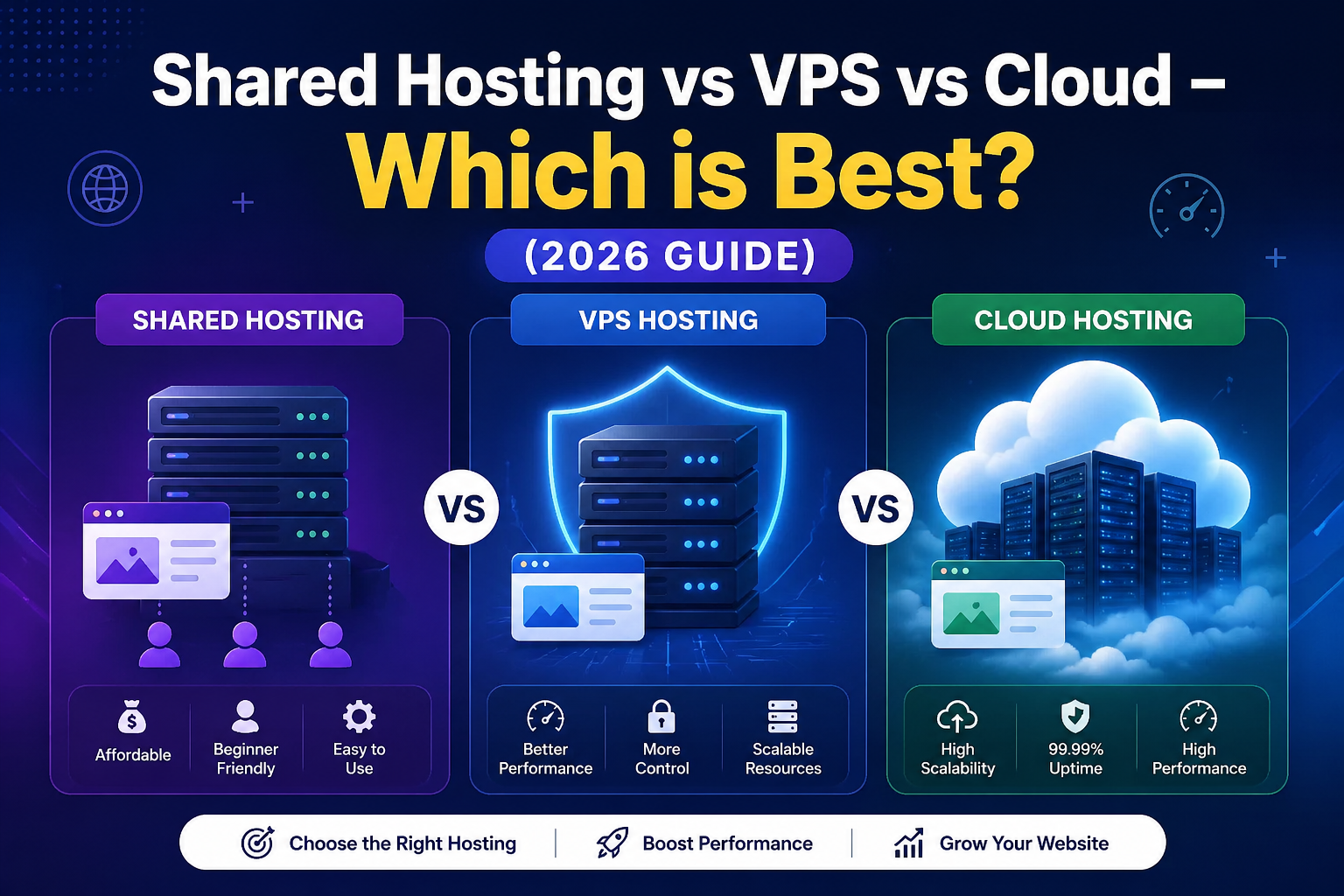
Shared Hosting vs VPS vs Cloud – Which is Best? (2026 Guide)
Choosing the right web hosting is one of the most important decisions for your website. Whether you're running a blog, business site, or eCommerce platform, your hosting type directly impacts speed, uptime, security, and scalability.
The three most popular options are:
- Shared Hosting
- VPS Hosting (Virtual Private Server)
- Cloud Hosting
In this detailed guide, we’ll compare all three and help you decide which is best for your needs.
What is Shared Hosting?
Shared hosting is a type of web hosting where multiple websites are hosted on a single server and share its resources—such as CPU, RAM, storage, and bandwidth.
Think of it like renting a flat with roommates. Everyone shares the same space and facilities, which makes it affordable, but also means resources are limited.
How Shared Hosting Works
In shared hosting:
- A single physical server hosts hundreds (sometimes thousands) of websites
- Each website gets a portion of the server’s resources
- The hosting provider manages everything (server maintenance, security, updates)
You don’t need technical skills—everything is usually controlled via a simple dashboard like cPanel.
Key Features:
- Low cost (best for beginners)
- Easy to use (cPanel access)
- No technical knowledge required
- Limited performance
Pros:
- ✔ Budget-friendly
- ✔ Beginner-friendly
- ✔ Quick setup
Cons:
- ❌ Slow performance during high traffic
- ❌ Limited control
- ❌ Security risks due to shared environment
👉 Best for: Small websites, blogs, beginners
What is VPS Hosting?
VPS Hosting (Virtual Private Server Hosting) is a type of web hosting where a physical server is divided into multiple virtual servers, and each one acts like an independent dedicated server with its own resources.
Think of it like living in an apartment building—you have your own private space, dedicated utilities, and more control, even though the building is shared.
How VPS Hosting Works
VPS hosting uses a technology called virtualization. This software splits one physical server into several virtual environments.
Key Features:
- Dedicated RAM & CPU
- Root access
- Better performance than shared hosting
Pros:
- ✔ More control and customization
- ✔ Better performance
- ✔ Stable environment
Cons:
- ❌ Requires technical knowledge
- ❌ More expensive than shared hosting
👉 Best for: Growing websites, developers, medium traffic sites
What is Cloud Hosting?
Cloud hosting is a modern type of web hosting where your website is hosted on a network of multiple interconnected servers (cloud servers) instead of a single physical server.
This means your website doesn’t rely on just one machine—instead, it uses the combined power of many servers, ensuring better speed, uptime, and scalability.
How Cloud Hosting Works
Cloud hosting uses virtualization and distributed computing to connect multiple servers into one system.
Behind the Scenes:
- Your website data is stored across multiple servers
- If one server fails, another server takes over instantly
- Resources (CPU, RAM, storage) are pulled from a cluster of servers
- You can scale resources up or down anytime
👉 This makes cloud hosting highly reliable and flexible.
Key Features:
- Scalable resources
- High reliability
- Pay-as-you-go pricing
Pros:
- ✔ Excellent uptime (99.99%)
- ✔ Highly scalable
- ✔ Handles traffic spikes easily
Cons:
- ❌ Slightly complex setup
- ❌ Pricing can vary
👉 Best for: High-traffic websites, startups, SaaS, eCommerce
🔥 Comparison Table
Final Verdict
If you're just starting, go with Shared Hosting to save money.
If your site is growing, upgrade to VPS Hosting.
If you want long-term scalability and performance, Cloud Hosting is the best choice.
Bonus Tip (SEO + Business Growth)
- Website traffic
- Business goals
- Budget
- Future growth
👉 A smart approach is to start small and upgrade as your website grows.